
So, I may have forgotten to mention something about Pi-hole…
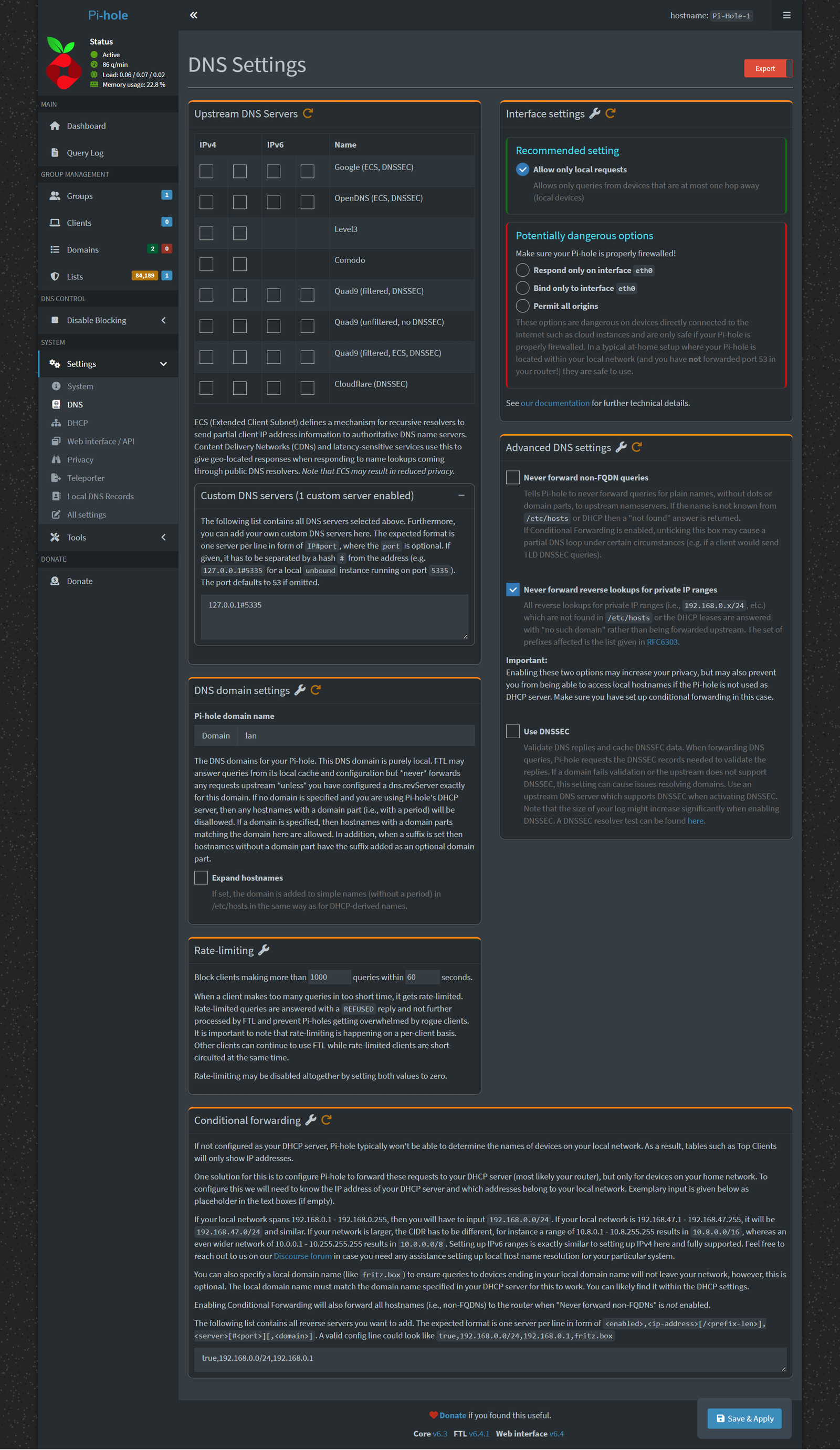
yeah, it’s a long screenshot…
Ok. Pi-hole posted yesterday. It appears to be a success, as several people have already reported getting their Pi-holes (with Unbound) going.
I feel it vindicates the format of the video, with the worksheet.
I’m not sure what I expected, but questions started trickling in, of various levels of sophistication. One that I kind of smacked my forehead over was the conditional forwarding of DNS requests of LAN addresses to your router. That isn’t really something you have to care about if your DNS forwarder is your router… but that’s not how I configured you all. Oof.
To fix this, you go to the DNS settings in the Pi-hole UI, flip on Expert mode in the top-right, and then scroll all the way to the bottom. Once there, you’ll type something like:
true,192.168.0.0/24,192.168.0.1
Except, instead of 192.168.0.0/24, you will type whatever the first three octets of your IP are, with a .0/24 on the end. After the comma, you put your router’s IP address. If you have an IP address that starts with 10. your mask value will be different (the part after the slash). Let me know if that’s your situation, and I can help.
if your block did start with 192.168, but wasn’t .0.0, you’ll also need to change this line in your /etc/unbound/unbound.conf.d/pi-hole.conf
private-address: 192.168.0.0/16
So, what does this do? Well, it lets you ping your LAN clients by their hostnames. It also characterizes the traffic by hostname, rather than IP address, in the Pi-hole Dashboard.
